What is the DOM — and why the page's 'source code' lies to you
Here's a surprise every beginner trips over. Open a page, hit "View source" — you see one HTML. Open "Inspector" (Elements) — you see a different one. Same tabs, supposedly, but different content. It's not a glitch. They're two different objects, and the "view source" one shows the past. The real, living page is the DOM. Let's sort out what it is and why the confusion costs beginners hours of debugging.
What it is in one line
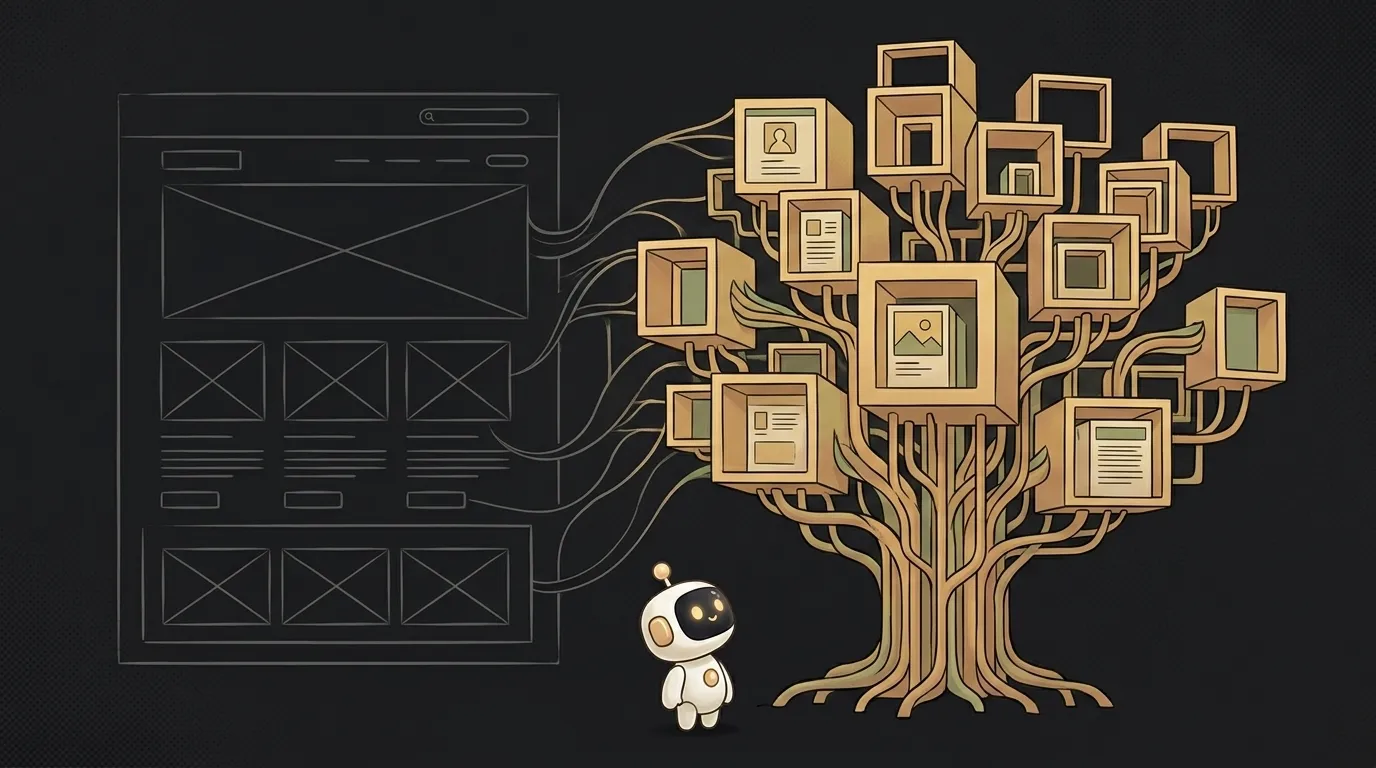
The DOM (Document Object Model) is the live tree of the page the browser builds from your HTML and keeps in memory. The key word is live. You wrote your HTML and forgot it; it doesn't change. The DOM changes constantly while the tab is open.
A tree — because elements nest inside each other like branches: inside <body> sits a <div>, inside it a <p>, inside it text. Each element is an object you can reach with code and change.
HTML is the blueprint, the DOM is the built house
The best analogy is this. HTML is the blueprint of a house. The DOM is the house built from it.
The browser reads your HTML file (the blueprint), builds a tree of objects from it once (the house), and from then on lives in the house, not the blueprint. You can move furniture, add a room, knock down a wall — the blueprint doesn't change. Likewise JavaScript changes not your HTML file but the built DOM. The file on disk stays the same.
So saying "JS changes the HTML" is imprecise. JS changes the DOM. It doesn't touch the file at all.
Why "View source" ≠ what's on screen
And here's the answer to the two-tabs riddle. "View source" shows that blueprint — the HTML exactly as the server sent it to the browser. The "Inspector" shows the current DOM — the house right now, with all the rearranging JavaScript has done.
On modern sites these are night and day. Open any social feed, view source — it's almost empty, a couple of lines. Because all the content was drawn by JavaScript after loading, straight into the DOM. It isn't in the source and can't be.
Hence the classic beginner bug: "why isn't my element found, I can see it on screen?" Usually because the element was added to the DOM later by a script, and your code went looking for it too early — when it wasn't in the tree yet.
Why this matters in practice
Even if you vibe code and never touch the DOM by hand, it's worth understanding for three reasons. First, when an AI agent writes you code that "finds the button and changes the text" — it's working with the DOM, and now you see what exactly. Second, in debugging: spot the gap between source and Inspector, and you instantly know a script is drawing the content. Third, to understand why React exists at all: it was invented precisely so you don't wrestle the DOM by hand — you describe how things should look, and React edits the tree. If you haven't read it, see what React is — it shows this clearly.
Is the DOM the same as HTML?
No. HTML is the text you write and the server sends. The DOM is the structure of objects the browser builds from that text and keeps alive in memory. HTML is the prompt, the DOM is the result.
Why is a site empty in "View source"?
Because its content is drawn by JavaScript after loading, straight into the DOM. The source only shows what the server sent initially — often an almost empty shell. To see the real page, use "Inspector," not "View source."
Do I need to learn how to change the DOM by hand?
Probably not. Modern tools like React do it for you, and you rarely touch the DOM directly. But keeping the picture "the browser builds a living tree" in your head is useful — it explains half of what happens on a page.
Short story-lessons, an agent simulator and daily practice — in our mobile app. Free.
Read next
What is SSH — how to log into someone else's computer without a password in the open
What is hashing — why a website doesn't know your password
What is a race condition — the bug that shows up only sometimes
Docker or a virtual machine — the difference, and what a beginner should pick
What is WebSocket — and why a chat updates itself without a page reload