What is a CDN — and why your site is slow even on a powerful server
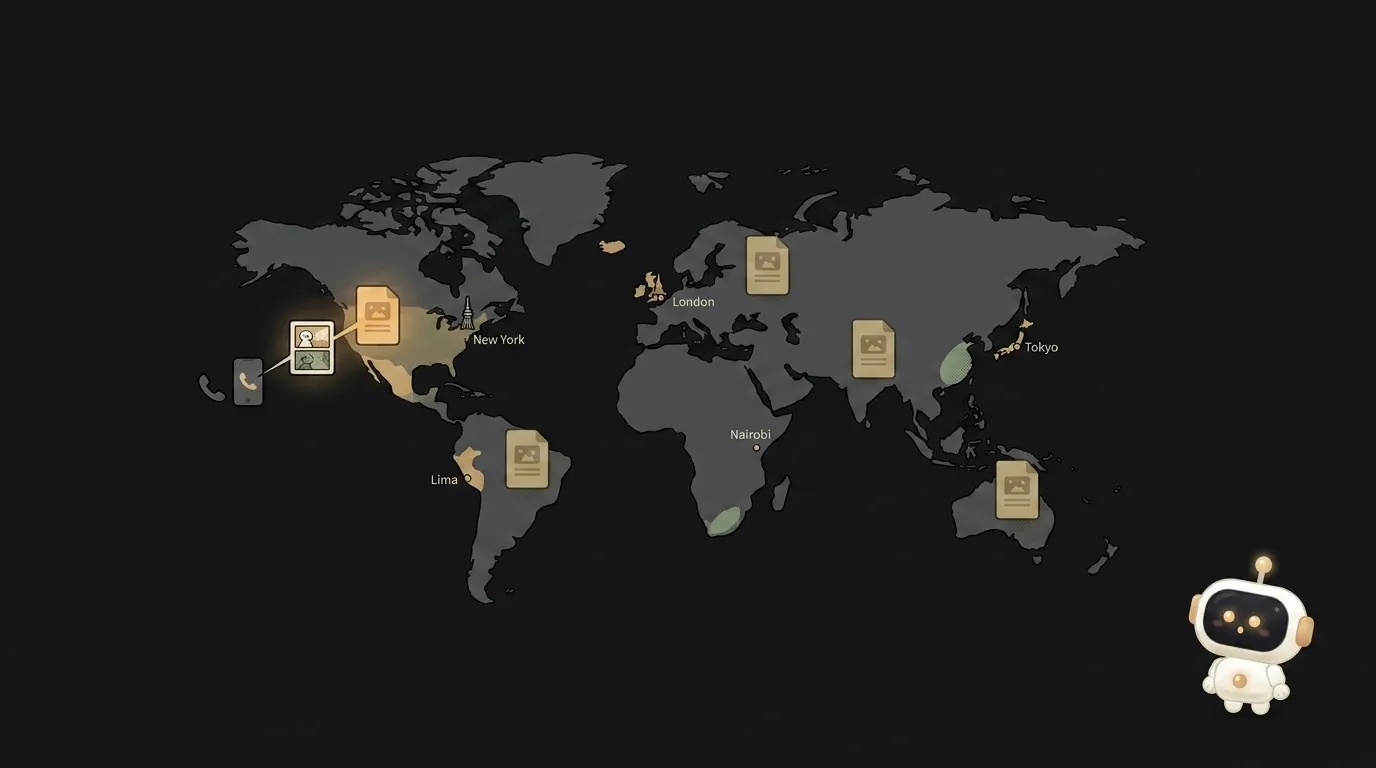
Your site flies for you, but a friend in another country complains: "takes like five seconds to load." First thought — "weak server, need a stronger one." Here's the surprise: power usually has nothing to do with it. The culprit is distance. Data doesn't teleport — it physically runs down wires, and a signal to a server on another continent takes noticeably longer than to the next city over. No processor speeds that up.
That's exactly what a CDN solves. Let's see how — plainly, with no networking jargon.
What a CDN means, in plain words
A CDN (Content Delivery Network) is dozens of copies of your site, spread across servers in different cities worldwide. When someone opens a page, it's served not by your single server, but by the nearest copy.
Picture a popular book. If it sits in one library for the whole country, some people have to travel halfway across it. But if copies are in every city, you grab one next door. A CDN does exactly that with your site's files: it spreads copies closer to people.
These copy-points are called edge servers ("edge of the network" — because they sit at the edge, near the user). Cloudflare, Vercel, Netlify, Fastly — all CDNs, and most have free tiers.
How it works
The key word is cache (a stash of copies). The flow:
- The first visitor from city X asks the CDN for an image. The nearest point doesn't have it yet — so the CDN fetches it from your server once and remembers it locally.
- The second, third, thousandth visitor from the same region get it from that nearby point — instantly, without bothering your server.
- That's how your server gets relieved: instead of a thousand identical requests, it hands the file over once; the network does the rest.
An important detail: a CDN caches static content beautifully — the stuff that's the same for everyone (images, styles, scripts, fonts). But personal data ("your cart," "your profile") it usually doesn't cache — that's unique to each person, and the request for it still goes to the server.
Why this matters for you
Even on a first project, a CDN gives three tangible effects:
- Speed for everyone, not just your neighbors. The site opens equally fast from anywhere in the world, not only where your server sits.
- A boost for SEO. Google factors load speed into ranking — a slow site slips in results. Fast delivery through a CDN works in your favor.
- Cheaper and sturdier. Your server is less loaded, and during a traffic surge the CDN takes the hit instead.
And good news: most of the time you don't turn a CDN on by hand. If you deployed to Vercel, Netlify, or Cloudflare Pages, your static content is already served through their CDN by default. You're using one without even knowing the word.
When a CDN won't help
A CDN speeds up delivery of ready files, but it doesn't fix slow code. If a page lags because of a heavy database query or an inefficient API, caching static won't help — the bottleneck is in the logic, not the distance. A CDN is about "how fast the file arrives," not "how fast the server thinks it up."
Does a small site need a CDN?
If all your visitors are in the same city as your server, the gain is modest. But the moment your audience spreads across the country or the world, a CDN noticeably speeds up loading. And since most hosts include one for free and by default, you usually don't need to "set it up" separately.
Are a CDN and hosting the same thing?
No. Hosting is where your site lives (its "home" server). A CDN is the network of copies spread around the world so files arrive faster. They're often provided by the same vendor in one bundle, which makes them easy to confuse, but the roles differ: hosting stores the original, the CDN serves the copies.
Short story-lessons, an agent simulator and daily practice — in our mobile app. Free.
Read next
What is SSH — how to log into someone else's computer without a password in the open

What is hashing — why a website doesn't know your password
What is a race condition — the bug that shows up only sometimes

Docker or a virtual machine — the difference, and what a beginner should pick
What is WebSocket — and why a chat updates itself without a page reload