Your cat, waving in the group chat — a GIF from one photo
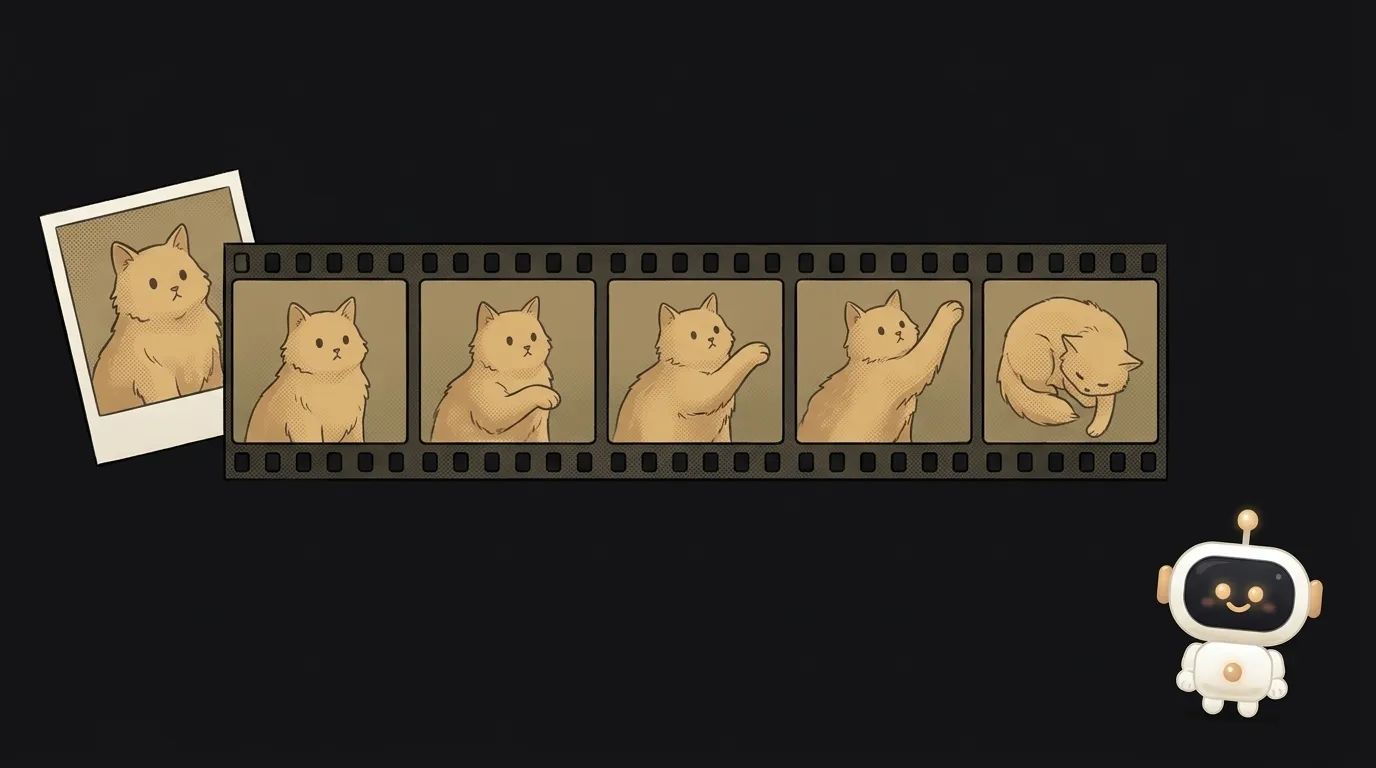
Open the GIF search in any chat. Thousands of cats. Yours isn't one of them.
Now look at what changed. On November 4, OpenAI released GPT Image 2.6. It came with a setting that's easy to miss: output_format: "gif".
This is an image model. But what comes back is a finished, looping animation. Not a clip you have to cut and convert. A .gif file, straight away.
The idea in one line: a small page where you upload a photo of your pet, tap "wave" and get a GIF for your chat.
The catch that makes it interesting
The frames aren't drawn one at a time. They share one sheet. So the more frames you ask for, the smaller each one gets.
One developer tested this with real money, through a third-party reseller:
- six frames at 1024×1024: rejected, not charged;
- twelve frames at 960×960: rejected;
- twelve frames at 720×720: worked.
So a short six-frame loop often looks better than a long one. Fewer frames, each one sharper.
The second catch: you have to ask for the loop in words. The docs say so directly: describe the subject, the motion and how it loops. Skip that and the paw goes up, freezes, then jumps back to the start.
What you can set
- Frames: 2 to 16, default 9.
- Frame duration: 20 to 2000 ms, default 200.
- Your own photo: send it to the edit endpoint and the model animates that exact picture.
Nine frames at 200 ms is 1.8 seconds per loop. You can do that in your head.
What you'll learn
- Describing motion. What moves, what stays still, how it all returns to the start.
- Counting frames. Count × duration = loop length. That's the root of all animation.
- Hiding your key. The request goes through your server. The key never belongs in the browser.
- Cheap drafts. Try things on
quality: low, and raise the quality once a prompt works.
Ready-to-use starter prompt
Make an app that brings photos to life and makes GIFs.The weak prompt leaves the model to guess what matters most: size, frame count, the loop. The strong one pins down exactly the places where a GIF usually breaks.
What you end up with
You upload a photo of your cat and tap "waves". About half a minute later a square GIF is spinning on the page: the cat raises a paw, lowers it, raises it again. Six frames at 150 ms is under a second per loop. Hit Download and drop it in the chat.
In that same test, six frames took 20–25 seconds and cost 3–5 cents. Those are reseller prices. OpenAI bills by tokens, so check your usage after the first run.
Honest limits. Fur and markings can drift a little between frames: OpenAI itself warns that keeping a character consistent doesn't always work. A complex request can take up to two minutes. Filters can refuse an image. And use your own pet, your own face or someone who said yes: don't animate other people's photos without asking.
Not long ago, something this small took a video model, slicing and a converter. Now it's one setting in the request.
Short story-lessons, an agent simulator and daily practice — in our mobile app. Free.
Source: Image generation — Generate animated GIF output (OpenAI)
Read next
An AI phones you at 8 a.m. and asks about your day
Describe your project in one sentence — get a diagram with the real logos
A one-minute cartoon with no video AI — every frame is code
A spell for your game — from one sentence, in pixels, with real impact
Does your app look like an AI made it? Let AI fix that