47 vacation clips — and an agent cuts them into a video on the beat
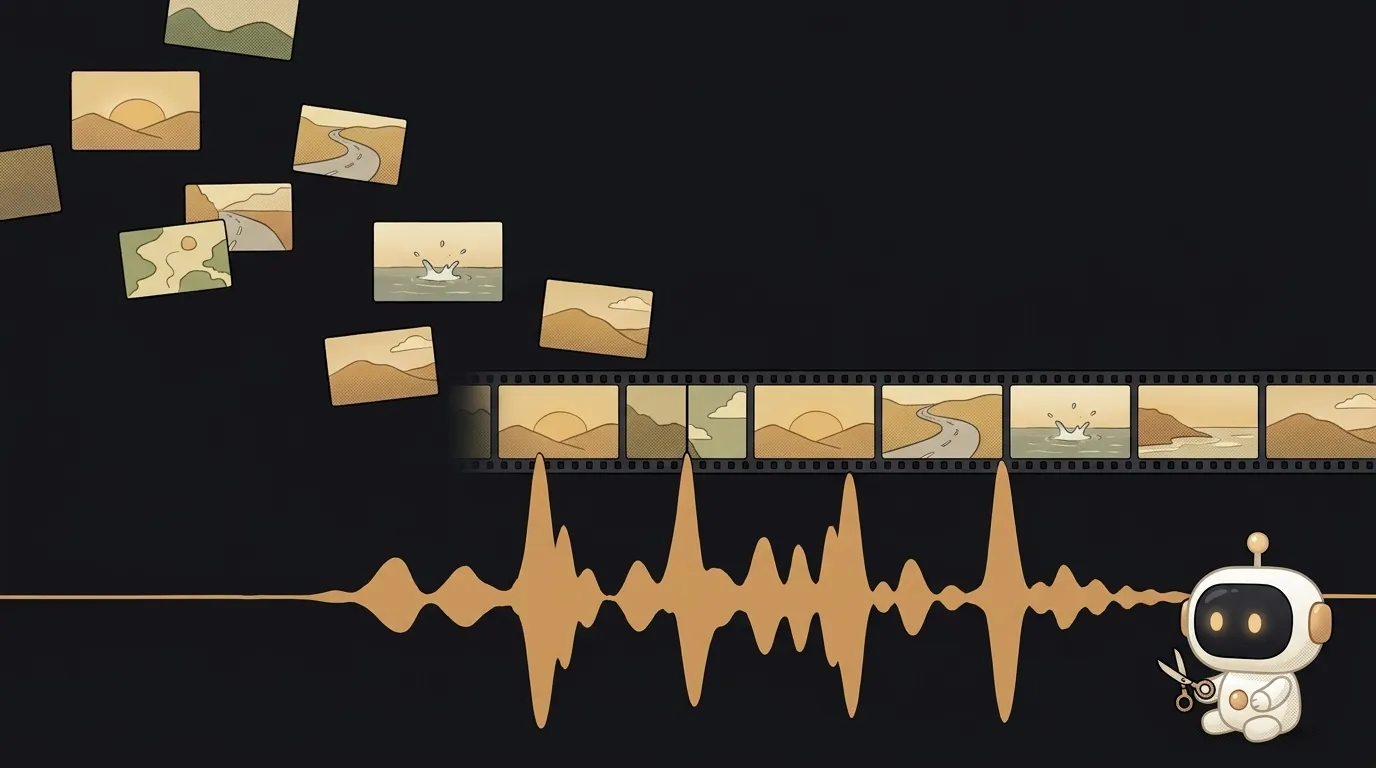
You know the picture. 47 clips from the trip in your camera roll. A sunset, the road, your friend falling into the sea. You meant to cut them into a video back in August. You didn't — because editing means a timeline, tracks and three evenings.
AI has been oddly unhelpful here: it generates new video. You don't want new. You want yours — just cut.
On 22 September 2026 something shipped that fills exactly that gap. You hand an agent a folder of clips and a track. It looks at the frames, listens to the music, cuts on the beat — and renders the video on your own computer. For free.
Why this just became possible
It's called Tesseract. It comes from Mirage — the name, since summer, of the company that made the Captions app. The makers describe it as "Premiere and After Effects, rebuilt for agents".
Here's how it works: a local editing engine plus two agent skills — "Edit Video" (cut, assemble, mix sound) and "Motion Graphics" (animated titles, diagrams, overlays). It installs into Claude Code, Codex or Cursor. The engine, previews and rendering are free. You only pay for your agent's subscription.
The interesting bit is how the agent "watches" video. Not like you do. The skill tells it to pull frames at meaningful points and turn the music into a waveform, then find the hits and changes on it. That's where the cuts go. The instructions say it outright: metadata doesn't tell you what's in the shot — open the frame and look.
The second big thing: the output isn't just an .mp4. Next to it sits a .tsrct project — with layers, titles and sound. A week later you open it and say "make the opening faster". The agent changes only the opening instead of rebuilding everything.
A year ago an agent could glue clips together with an ffmpeg command — but that gave you a flat file. No layers, no editable titles, no engine built specifically for an agent to edit with.
What we're building
Not a one-off video, but a video machine. Three things in one folder:
inbox/— where you drop clips from your phone.music.mp3— the track to cut to.brief.md— your standing style: length, format, what to always keep, what to never do.
Plus one prompt you run every time. The result is a 45-second video for Reels or Shorts. A trip, a birthday, a week in a new city — the mechanics are the same.
What you'll learn
- What agent skills are. Not code and not a plugin with buttons — a set of instructions plus tools the agent loads for a task. You'll see live how one skill turns a coding agent into an editor.
- How AI "sees" video and "hears" music. Sample frames instead of watching straight through, a waveform instead of listening. You'll get why you have to tell the agent which moments matter.
- The difference between a render and a project. A render is final — you can't fix it. A project is a recipe — you can replay it. Same thing that separates a screenshot from a Figma file.
- Directing instead of clicking. Your job is to say what should happen. "My friend's fall lands on the drop." How to do it is the agent's call.
A ready starter prompt
The classic mistake is "edit it nicely". The agent then guesses the length, the format, and what you care about. A strong prompt sets the frame and names the moments you can't lose.
edit a video from these clipsThe weak prompt is a lottery. The strong one is a brief for an editor: format, rhythm, two sacred moments and one ban. Note the last line: you ask for a preview before the render. That way you fix the plan while it's still cheap.
After that, revisions are one sentence to the same project: "bring the title in on the first hit", "hold the sunset two seconds longer", "make a 16:9 version for YouTube".
What you'll get
In: a folder of raw clips, one track and five lines of brief. Out: a 45-second vertical video, cuts landing on the beats, Sasha's fall on the loudest moment, the ending on the sunset. And a project file next to it you can come back to.
A sober look at the limits:
- macOS and Windows only, running locally. Linux, WSL and cloud rendering aren't supported.
- It's editing, not generation. It won't draw new shots or synthesize anyone's voice — it only works with what you give it.
- It's not open source: the engine is free, but it has its own terms. Version 0.2 is fresh — expect rough edges.
- The CLI may send basic usage telemetry. You can turn it off — check the telemetry settings.
Weekend plan
- Friday evening. Install it. Easiest is to ask the agent itself: "Install the Tesseract skills from github.com/mirage-hq/Tesseract, set up the matching CLI, verify its checksum and confirm it runs."
- Saturday. Take 10–15 clips and one track. Run the strong prompt and look at the cut plan. That's the "whoa" moment: the agent tells you which clip goes on which beat.
- Sunday. Move your standing rules into
brief.mdand shrink the prompt to "edit inbox/ per brief.md to music.mp3". Done — you have a machine: drop clips, one line, video.
Start with one short 15-second video. The first time the agent lands a cut right on a beat, you'll know what to add next.
Short story-lessons, an agent simulator and daily practice — in our mobile app. Free.
Source: Tesseract by Mirage on GitHub
Read next

Build a “send as-is” button — a model that hands you the email, not advice about it
A song where you change one chord — instead of spinning the generator again
The clip is already rolling — and you call out what happens next

A web page that watches your camera live — 30 frames a second, offline, no server
Describe a place in words — and hear it. AI now mixes sound as a scene, not clips