What is event delegation — and why new buttons won't click
You're building a to-do list. Each task is a row with a "Delete" button. Old tasks delete just fine. But the task you just added can't be deleted: you click — nothing.
No errors in the console. The AI's code looks right. The click handler was simply attached to the buttons that existed when the page loaded. The new button showed up later — and nobody knows about it.
One technique fixes this — event delegation. As a bonus, it makes the code shorter and faster.
What event delegation is
Event delegation is when you attach one handler to a shared parent instead of one handler per child. The parent catches clicks on all its descendants — the ones there now and the ones that appear later.
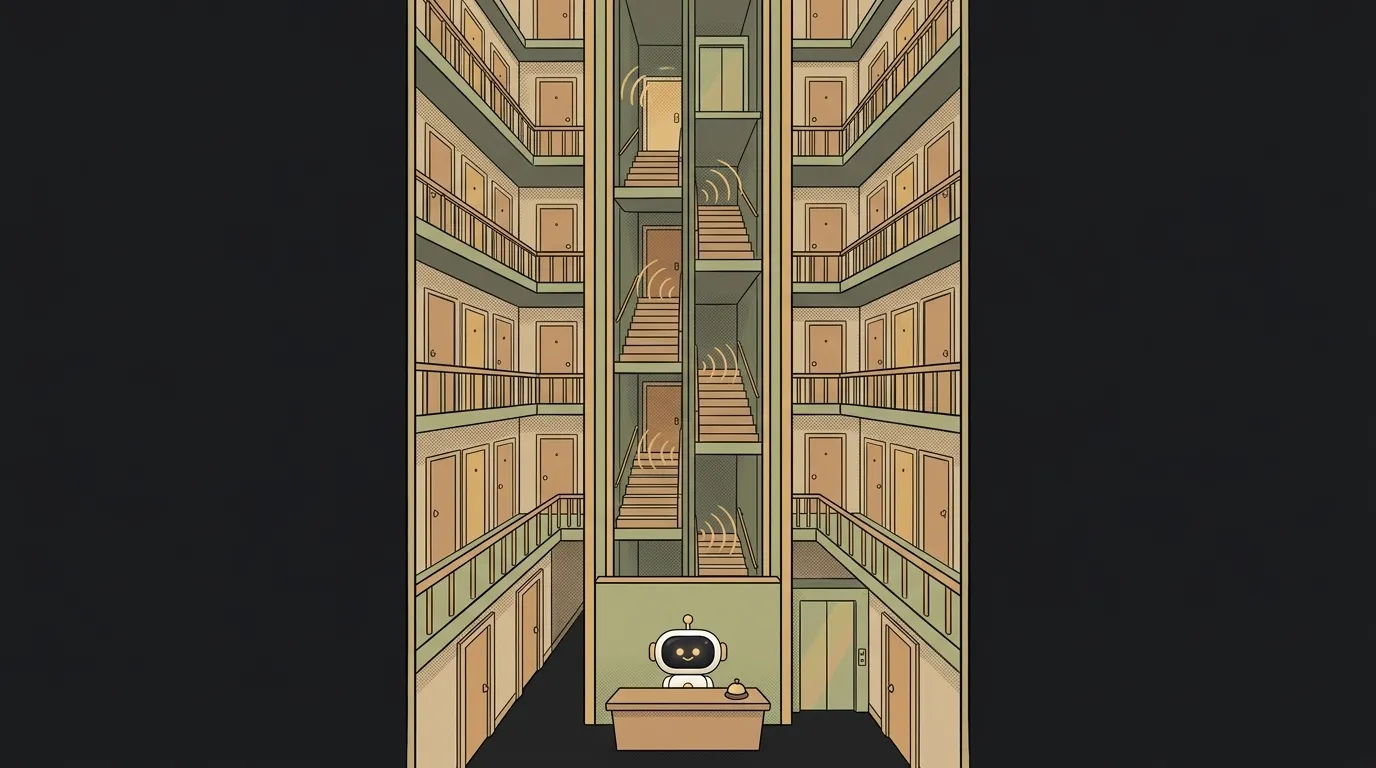
Picture a tall building. You could post a guard at every apartment: a hundred apartments, a hundred guards. A new tenant moves in — and nobody remembered to give them a guard. Or you can put one concierge downstairs. Every buzz from every apartment goes to them, and new tenants are no problem.
The concierge is delegation.
How it works: bubbling
Delegation rests on one browser behavior. When you click a button, the event doesn't stay on it. It bubbles up through the DOM: from the button to the row, from the row to the list, from the list to the page. Every parent along the way can catch it.
Here's how AI usually writes it — a handler per button:
document.querySelectorAll('.delete').forEach(btn => {
  btn.addEventListener('click', () => btn.closest('li').remove())
})
querySelectorAll finds the buttons once, at startup. New buttons never make it into that list.
And here's delegation — one handler for the whole list:
list.addEventListener('click', (event) => {
  const btn = event.target.closest('.delete')
  if (!btn) return              // the click wasn't on a "Delete" button
  btn.closest('li').remove()
})
Now any .delete button inside list works — even one added a minute later. The handler is an ordinary callback; it just hangs higher up.
The trap: event.target isn't always the button
Why closest in the code, and not just event.target? Because buttons often contain an icon:
<button class="delete"><svg>…</svg> Delete</button>
Click the icon and event.target turns out to be the svg or even a path inside it. A check like event.target.classList.contains('delete') says "no", and the click is lost. And only sometimes: clicking the text works, clicking the picture doesn't. Bugs like this take hours to find.
closest('.delete') walks up from the click point and finds the nearest button. It doesn't matter whether you hit the icon, the text or the edge.
One more detail: closest searches all the way to the page root. If the same class exists somewhere outside the list, also check list.contains(btn).
One handler for every action
Delegation really shines when a row has several buttons. Tag each one with a data-action attribute, and the row with data-id:
<li data-id="42">
  Buy bread
  <button data-action="edit">✏️</button>
  <button data-action="delete">🗑</button>
</li>
list.addEventListener('click', (event) => {
  const btn = event.target.closest('[data-action]')
  if (!btn || !list.contains(btn)) return
  const id = btn.closest('li').dataset.id
  if (btn.dataset.action === 'delete') removeTask(id)
  if (btn.dataset.action === 'edit') editTask(id)
})
One handler, any number of buttons and rows. Want a new "archive" action — add a button with data-action="archive" and one line in the handler. No new addEventListener calls.
dataset reads data-* attributes as plain properties: data-id becomes dataset.id. Note that the value always arrives as a string, even if it holds a number.
Why this matters to you
- Dynamic lists. Chats, feeds, carts, tables with lazy loading — anywhere elements appear after load. Delegation solves "new stuff won't click" once and for all.
- Fewer handlers. A thousand rows — one handler instead of a thousand. Less memory, faster startup.
- No need to remove handlers. Deleted a row — nothing to clean up. No risk of a leak from a handler hanging on a removed element.
When delegation doesn't fit
Some events don't bubble: focus, blur, mouseenter, mouseleave. Attach them to the parent and you'll catch nothing. For focus there are bubbling twins — focusin and focusout. For hover, use mouseover and mouseout.
And if something inside calls event.stopPropagation(), the event never reaches the parent at all.
Do I need delegation in React?
Usually not: React does it for you. Since React 17 it attaches handlers to the app's root and hands events out to components. You write onClick on every button — and under the hood it's already delegation.
How is delegation different from bubbling?
Bubbling is browser behavior: the event rises up. Delegation is your technique that uses that behavior: you catch the event higher in the tree.
How do I get AI to do it right?
Tell it the elements appear dynamically. Without that, the model almost always attaches a handler to each element.
the delete button does not work on new tasksThe task list ul#tasks gets new rows dynamically. The .delete buttons on new rows do not respond to clicks. Rewrite it with delegation: one click handler on ul#tasks, find the button via event.target.closest, and keep in mind the button contains an svg icon. Remove the old handlers on individual buttons.The AI Architect 2027 course: step by step from computer basics to your own app and first customers. 543 short lessons on your phone.
Read next

Ed25519 vs RSA — which SSH key to choose in 2026

What is sudo — and why it asks for your password, not the admin's

What is a tar.gz file — and why a tar archive can be bigger than the files

What is a command-line flag — and why git commit -ma breaks but -am works

scp or rsync — and why rsync sent 141 bytes instead of two megabytes the second time
