A $7 board — and AI taps around your iPhone on its own. No Mac, no jailbreak
Here's a neat one. Agents can already click around websites for you. But your iPhone stayed off-limits. To let AI tap through apps on an iPhone, you needed a Mac, Xcode, a developer account and a special helper app. And a free account's signature expires every 7 days.
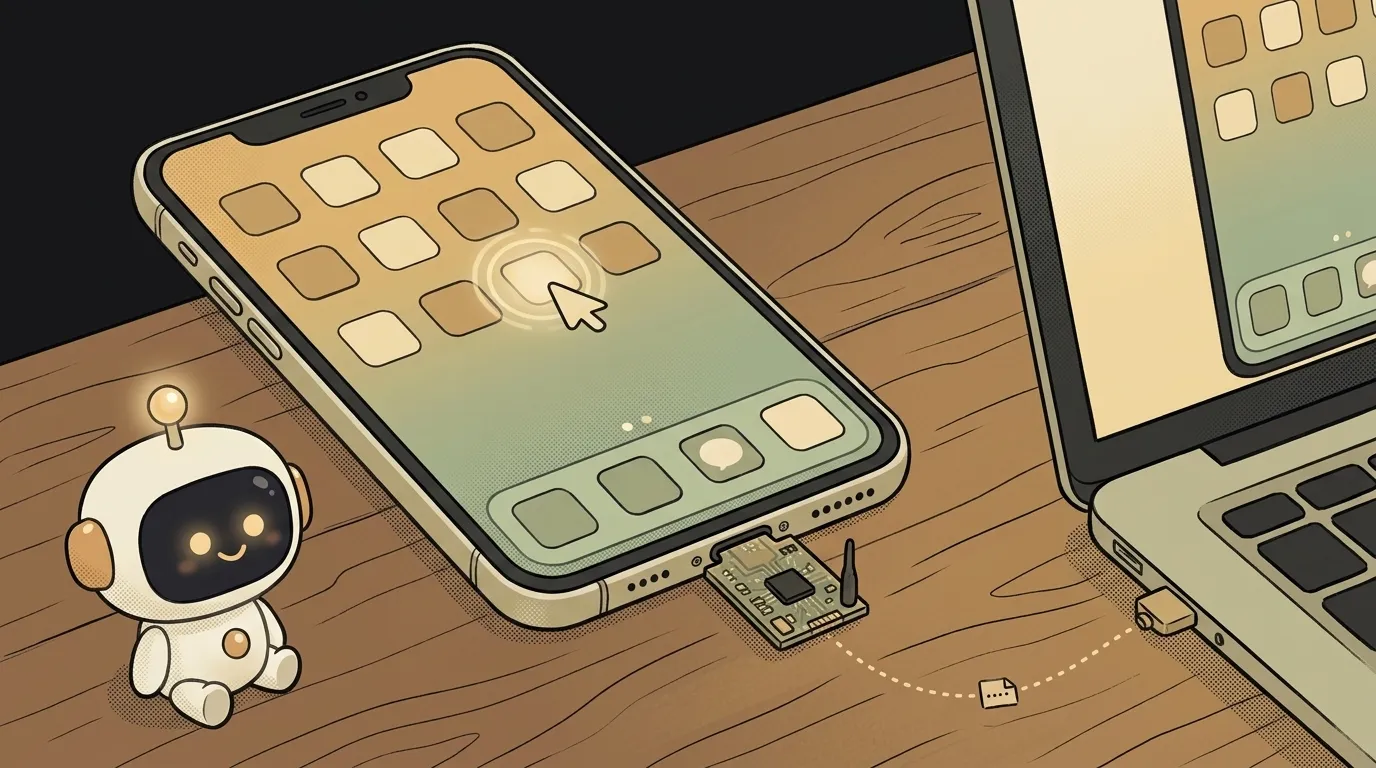
On October 11, 2026, ESP32 iPhone Agent landed on GitHub — and it sidesteps all of that with a trick. The agent drives the phone the way a person does: it looks at the screen and moves a pointer. All you need is a $7 board.
Why this just got easy
The trick has three parts, and each one is ordinary, everyday tech:
- Eyes — AirPlay. The iPhone mirrors its screen to your computer, like to a TV. A program called UxPlay catches the stream, and the agent sees the frames.
- Hands — an ESP32-S3 board. You plug it into the phone's port, and the iPhone thinks it's a mouse and keyboard. Turn on AssistiveTouch and a round pointer appears. A click is a tap, a drag is a swipe.
- Brain — any model with vision. Any model with an OpenAI-compatible API that understands images will do: cloud or your own local one.
The model looks at the screenshot and decides: "tap here," "swipe down," "go home." The board does it. Before tapping, the agent finds the pointer on screen and corrects any miss. After each step it checks that the screen actually changed.
Nothing gets installed on the phone. You don't need a Mac — Linux works too. And since the agent only sees pixels, it works in any app, games included.
What you're building
Your own "assistant with hands" for your own phone. You type a goal on a web page on your computer — and the pointer crawls across your iPhone's screen by itself, opening apps and pressing buttons.
The best start is a boring routine you do by hand every day: switch on the right Focus mode, find a setting buried deep in a menu, scroll through the same app.
What you'll learn
- How an agent works inside. Everything is visible here: plan, thought, action, and a screenshot of every step with the tap drawn on it. Better than any diagram on a slide.
- The "look → act → check" loop. The agent doesn't take its own word for it — it checks whether the screen changed. Every reliable agent stands on this.
- Your first hardware. Flashing a board and watching it "become a mouse" is magic beginners usually skip.
- How to brief an agent. Goal, limits and a clear "done" — the same skill as with any AI.
A ready starter prompt
There are two prompts. The first is for setup: paste it into Claude Code or Codex on the computer the board is plugged into. The author recommends exactly this:
Clone https://github.com/onehumanbeing/esp32-iphone-agent and follow its README to set it up on this machine:
flash the ESP32-S3 plugged in over USB, install UxPlay and the server, write server/.env for my model API, start
the server and give me the web UI address. Ask me for the Wi-Fi name/password and the model API key.
The second is the task for the agent itself. The classic mistake is "do something useful." The agent will wander around your phone. A strong task sets a route, limits and what counts as done.
tidy up my phoneThe weak prompt is "wander wherever you like." The strong one is a route of steps, no-go zones and a stop condition. "Don't type" isn't a whim: for now the board only types basic Latin (ASCII) text.
What you get
By the end of the weekend, a page is open on your computer: your iPhone's live screen on one side, the agent's thinking log on the other. You press Start — and the pointer crawls across the phone on its own. Below it grows a "step wall": a screenshot of every decision, taps marked with a red ring, swipes with a yellow line.
Film it: the phone lies on the desk, nobody touches it, and it scrolls and switches things on by itself. You'll want to show that off.
Honest limits:
- You need a Mac or Linux. The computer and iPhone share one Wi-Fi network, and the board needs 2.4 GHz.
- Lightning iPhones need an adapter. USB-C models take the board directly. Older iPhones need a Lightning to USB Camera Adapter.
- The XIAO board has no built-in antenna. Attach the one in the box, or Wi-Fi will keep dropping.
- A locked phone won't listen. When it's locked, the port sleeps. Keep the screen on.
- A cloud model costs money per step. Every step sends an image to the model. Short tasks are cheap; long strolls through your phone aren't.
- Keep the agent away from money. It sees pixels and can miss. Don't trust it with banking, purchases or chats. The Stop button (or Esc) halts it instantly.
Weekend plan
- Friday evening. Order or dig up a Seeed XIAO ESP32S3 board (about $7) with its antenna. Grab the project and turn on AssistiveTouch on the iPhone: Settings → Accessibility → Touch.
- Saturday. Paste the setup prompt into Claude Code — it flashes the board, installs UxPlay and the server, and asks for your model key. Plug the board into the iPhone, pick Screen Mirroring → "iPhone Agent" and hit Calibrate. The "whoa" moment: the agent finds the pointer on screen by itself for the first time.
- Sunday. Give the agent your morning routine with the strong prompt. Study the step wall: where it missed and how it recovered. Film "my phone switched everything on by itself" — and share it.
Start with one boring thing you do every morning. When your own phone does it for you for the first time, agents stop being an abstraction.
Short story-lessons, an agent simulator and daily practice — in our mobile app. Free.
Source: ESP32 iPhone Agent on GitHub
Read next
47 vacation clips — and an agent cuts them into a video on the beat

Build a “send as-is” button — a model that hands you the email, not advice about it
A song where you change one chord — instead of spinning the generator again
The clip is already rolling — and you call out what happens next

A web page that watches your camera live — 30 frames a second, offline, no server