Snap your mug — spin it as a 3D model. From one photo
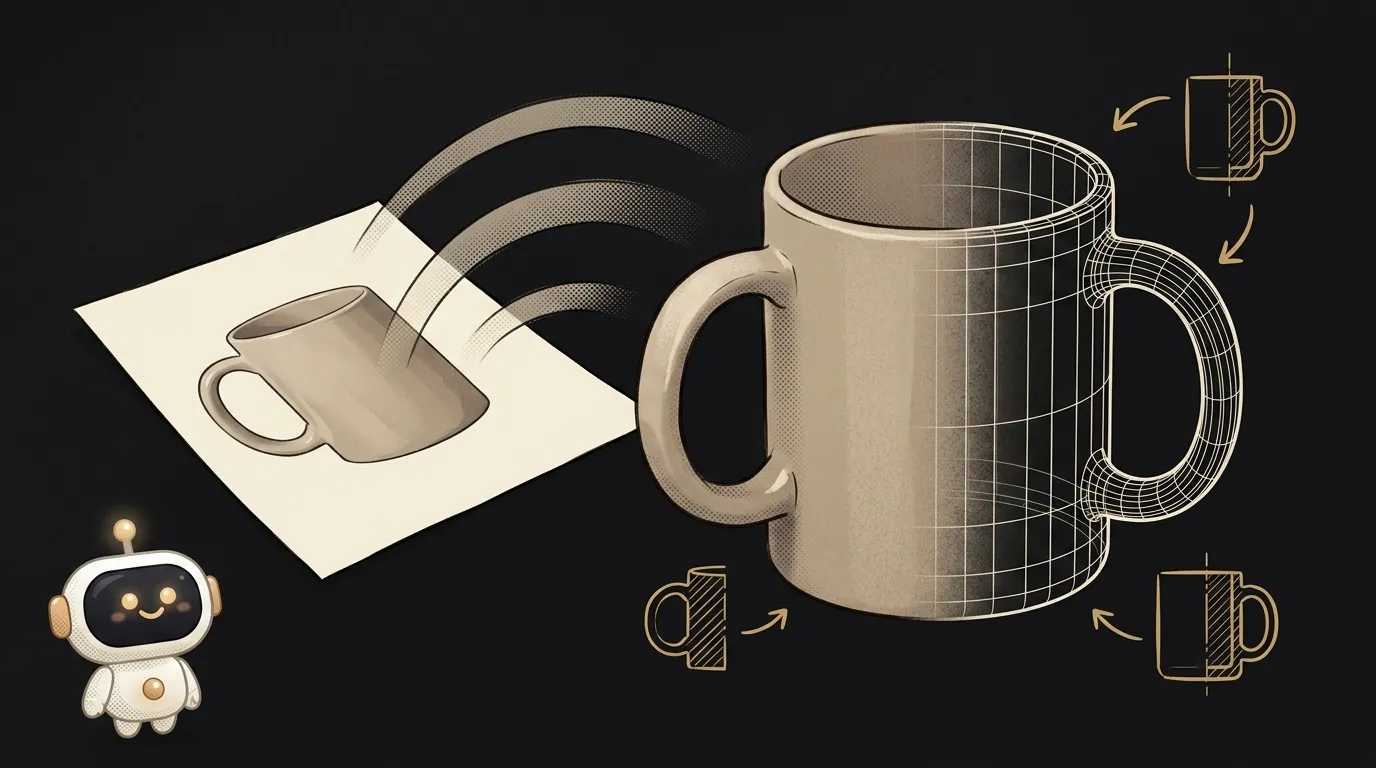
Here's the idea in one line: you snap any object — a mug, a sneaker, your kid's toy — and the app hands it back as a 3D model. Not a picture, an actual model: you spin it with the mouse from every side, place it on your desk through the camera, or send it to a 3D printer. From a single photo.
And here's what's fresh. Until recently, "digitizing" a real object into 3D meant photogrammetry: walk around it, shoot 30–40 frames from every angle, feed them into heavy software, and wait. Now a model like Meshy 6 takes one photo and fills in what it can't see — the back, the bottom, the sides. A minute later you have a textured object. That's what the project rides on.
Why this one
Everyone has a million flat photos and almost no 3D models — making them was just too much hassle. The moment it became "photo → model in a minute," a pile of small personal things opens up: spin a product before buying, place an item in your room in AR, print a figurine. You'll actually use this yourself.
And there's less "magic" here than it looks. The app is a pipe: hand over the photo, call someone else's API, get a model file back, show it. All the hard part hides behind one request.
What you'll learn
- Long jobs with waiting. An image comes back instantly, but a 3D model takes about a minute to compute. You send the job, get its id, and then poll "done yet?" until the status flips to
SUCCEEDED. It's a pattern you'll meet everywhere. - Formats for the purpose. The same object exports as
GLB(spin it in the browser),USDZ(place it in AR on an iPhone), orSTL(print it). You'll learn which file is for what. - The input decides it. Not the prompt — the photo itself. One object, clean background, even light, and the model comes out tidy. That's your main "setting."
A ready starter prompt
Don't ask the agent to "make 3D from a photo" — it'll start guessing about formats, engines, and viewers. Give it the flow, the format, and the limits:
Make an app that turns a photo into 3D.The strong prompt leaves no room to guess: the flow is clear, it spells out that the job must be polled until ready, the output format is set, and so is where to show the model. The first result lands much closer to what you wanted.
What you end up with
You put your favorite mug on a white sheet, shoot it from above and to the side, and upload the photo to your page. A minute later the mug spins right in the browser: you turn it around and peek behind the handle that wasn't even in the photo. You hit "download .glb." Then you drop that same model into AR and stand a virtual mug on a real table — and your friends won't figure out how you did it.
Start with one photo of one object, get it to "spins in the browser" — and you're holding what a year ago took a whole pipeline and special software.
Short story-lessons, an agent simulator and daily practice — in our mobile app. Free.
Source: Meshy — Image to 3D: one photo into a textured model
Read next
47 vacation clips — and an agent cuts them into a video on the beat
Build a “send as-is” button — a model that hands you the email, not advice about it
A song where you change one chord — instead of spinning the generator again
The clip is already rolling — and you call out what happens next
A web page that watches your camera live — 30 frames a second, offline, no server