One selfie — and you're in any era, with the same face
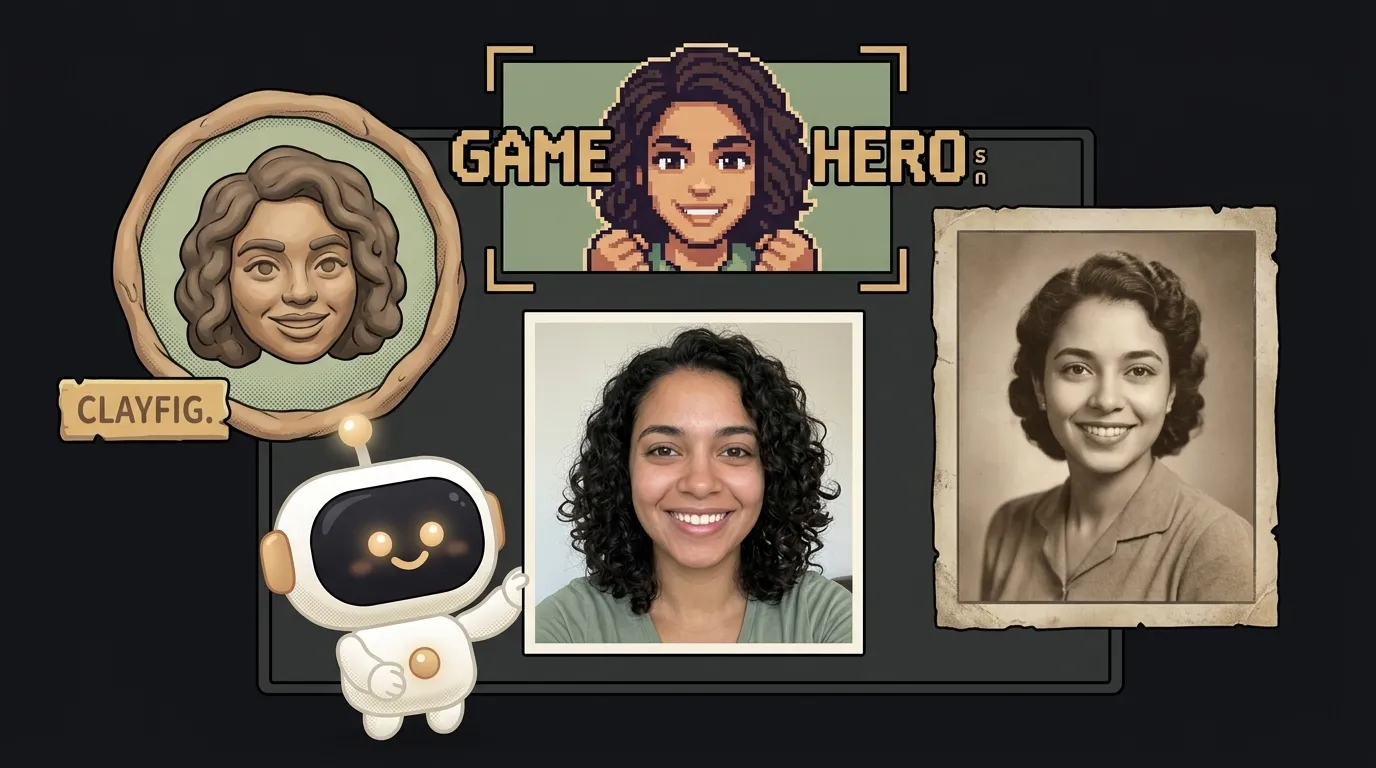
Here's the idea in one line: you give one selfie and a line like "make me a pixel hero from a 90s game" — and get a frame where it's you. Not "a guy who looks like you," but you, with your own face. One more line — and you're in a claymation cartoon. One more — and on an old black-and-white photo from the 1920s.
And here's the fun part — this didn't used to work. From one photo, AI drew a similar person: same haircut, but a stranger's face, you couldn't recognize yourself. On July 7, Meta showed Muse Image, and right there in the examples: "reimagine yourself as a claymation character or a 16-bit hero." The model stitches several images together and holds your identity instead of inventing a new one. That's the thing the whole project rides on.
Why this one
This is the kind of thing you want to share. "Look, here's me as a Ghibli character," "and here's me as a noir detective" — it flies straight into the group chat and stories. It's also genuinely personal: not an abstract picture, but you. People come back to a tool like this again and again — to try a new world.
And there's less "magic" here than it looks. The app is a pipe: took the selfie, added a scene description, handed it to the model, showed the result. All the difficulty lives in one good prompt.
What you'll learn
- Reference photos. You hand the model an image not as "fix this" but as "here's the main character, remember this face." That's the base for a whole class of tools: avatars, comics starring you, greeting cards.
- Holding identity. You'll learn to ask "keep the facial features from the photo" — and watch that one line turn "a similar person" into the real you.
- Scene as a parameter. One face, as many worlds as you like. You'll pull the scene description into its own field, and the app becomes a generator: one photo, buttons for "90s / cartoon / noir."
A ready starter prompt
Don't say "make me look cool" — the model will draw a stranger. Give it a reference, a precise scene, and a rule about the face:
Turn my photo into a cool game-style avatar.The strong prompt leaves no room for guessing: it's clear whose face to take, which scene to place it in, and what not to change. The line "it must be the same person" is what separates "whoa, that's me!" from "who even is that."
What you end up with
You upload one selfie. You hit "90s" — and there you are as a pixel hero, but with your nose and your smile. You hit "clay" — you're claymation, and the face is recognizable. You drop both into the chat captioned "guess which one is the real me" — and off it goes. You drew nothing. You gave one photo and pressed a couple of buttons.
Start with one scene and one photo. Once it works, add worlds as presets, and you've got a little "you in any world" generator.
Short story-lessons, an agent simulator and daily practice — in our mobile app. Free.
Source: Introducing Muse Image (Meta)
Read next
Fly down your own route in pixel art — with the buildings standing where they really stand
Cut a jet engine in half — and it works out what just happened to it
A $7 board — and AI taps around your iPhone on its own. No Mac, no jailbreak
47 vacation clips — and an agent cuts them into a video on the beat
Build a “send as-is” button — a model that hands you the email, not advice about it