That faded photo from the drawer — alive again, in one prompt
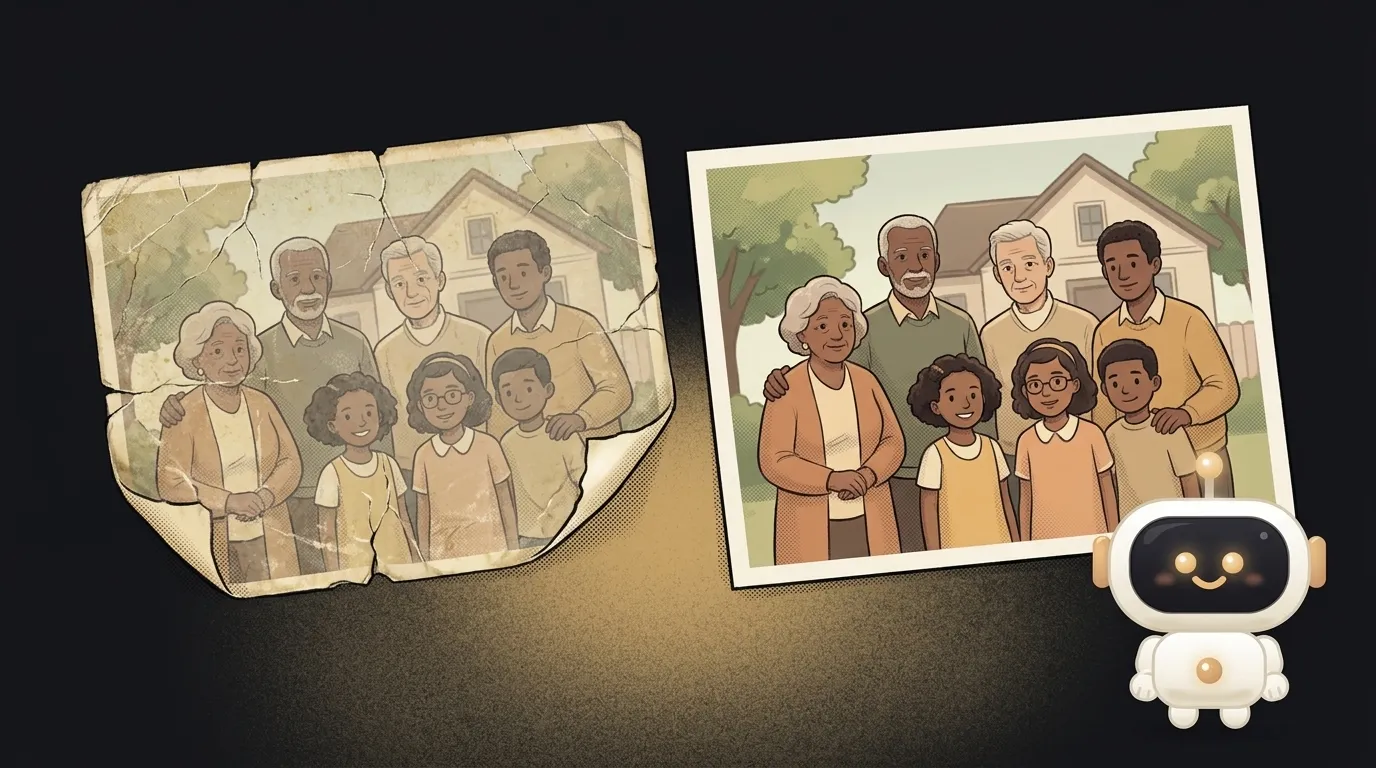
Here's the idea in one line: you upload a scan of an old photo — faded, cracked, with time's yellow haze on it — and get it back clean. Scratches gone, colors restored, faces sharp again. One "fix it" button.
And here's the fun part — not long ago this wasn't this easy. Photo restoration was manual work: hours in Photoshop, the clone stamp over every scratch, face retouching pixel by pixel. On July 7, Meta showed Muse Image, and among its ready-made presets is literally "restore an old family photo": remove scratches, fix color, sharpen faces. Free, in a single pass. What was a retoucher's skill yesterday is one instruction to a model today.
Why this one
Everyone has a box of old photos at home. Grandma young, parents at their wedding, you at three. They really do fade — paper doesn't last forever. And taking them to a restorer is expensive and a hassle. An app that fixes a shot in ten seconds is the kind of thing people actually use and tell their friends about.
And there's less "magic" here than it looks. The app is a pipe: took the photo, handed it to the model with the right instruction, showed the before/after. All the difficulty lives in one good prompt.
What you'll learn
- Editing, not generating. You're not asking the model to invent an image from scratch. You give it your photo and tell it what to do. That's a different mode — image editing — and it unlocks half of all the "magic" little tools.
- A gentle prompt. Restoration is a balance: remove the defects, but don't repaint grandma's face. You'll learn to ask "fix the damage, but keep faces and poses exactly as they are."
- The input is an image. For the first time you send the model not text but an image, and get an image back. That's where all photo tooling starts.
A ready starter prompt
Don't say "make the photo better" — the model will start fantasizing and repaint the faces. Give it a precise task and boundaries:
Improve this old photo and make it look nice.The strong prompt leaves no room for invention: it's clear what to fix and — more importantly — what not to touch. That "don't change the faces" line is exactly what separates restoration from "the model drew a different person."
What you end up with
You drop in a scan where grandpa stands by a motorcycle — the shot is yellow, a corner is torn, his face is a haze. Ten seconds later, a second frame beside it: colors alive, scratches gone, the face unmistakably his and sharp. You send it to the family chat, and there's silence, then "whoa." You retouched nothing by hand. You just uploaded a photo.
Start with one screen: uploaded → fixed → download. That alone is enough to bring half your friends' shoeboxes back to life.
Short story-lessons, an agent simulator and daily practice — in our mobile app. Free.
Source: Introducing Muse Image (Meta)
Read next
Fly down your own route in pixel art — with the buildings standing where they really stand
Cut a jet engine in half — and it works out what just happened to it
A $7 board — and AI taps around your iPhone on its own. No Mac, no jailbreak
47 vacation clips — and an agent cuts them into a video on the beat
Build a “send as-is” button — a model that hands you the email, not advice about it