Your browser can now SEE a photo — and hand you clean JSON, no key, offline
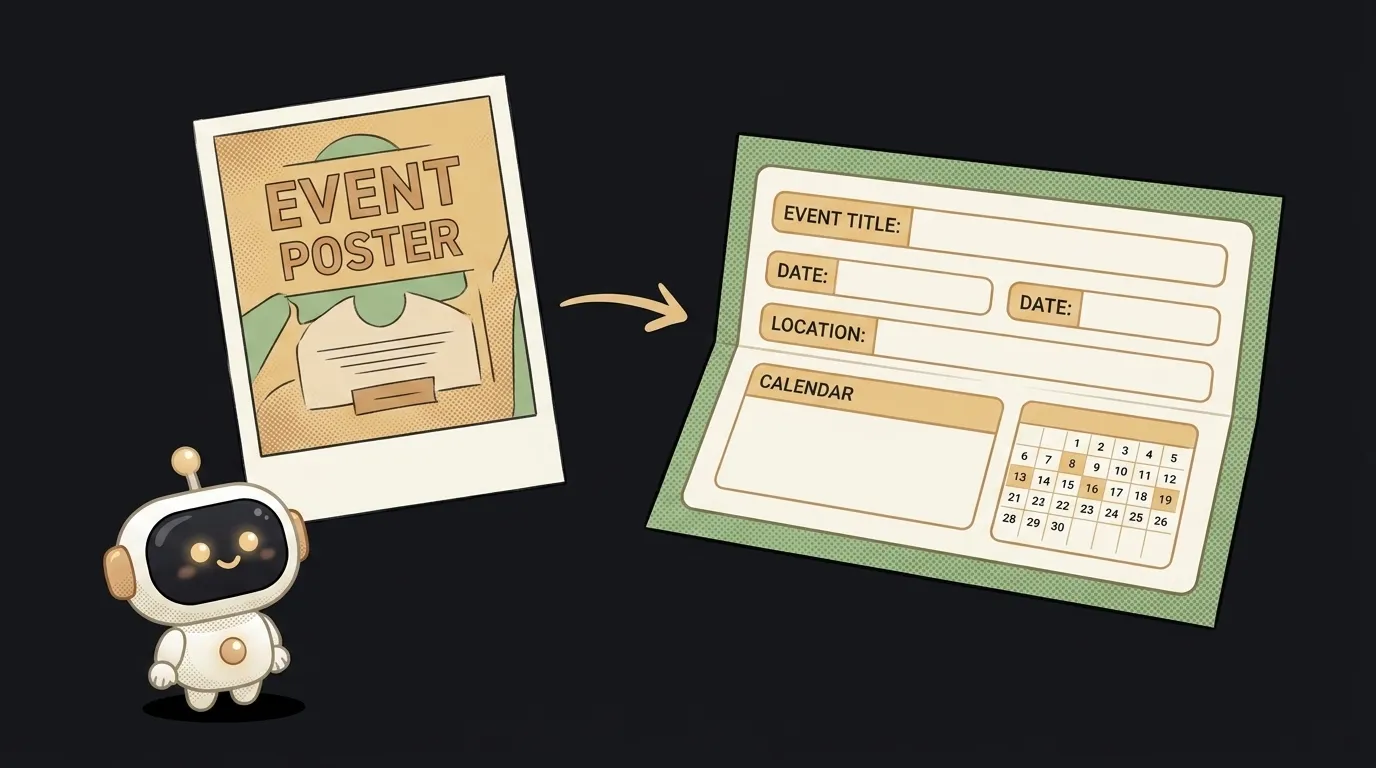
Here's the idea in one line: you drop a photo of a poster onto a page — a concert, a talk, a flyer on a door — and it hands back a tidy card: what, when, where. Plus an "add to calendar" button. The thinking happens not on a server, but in the browser itself. No key, no network, free.
And here's what's genuinely new. The model built into the browser — Gemini Nano — has read text for a year now. But it was blind: only the letters you typed in. With Chrome 148 it grew eyes. You can pass an image into the same call, and ask for strict JSON shaped by your own schema back. A year ago, "read a photo and split it into fields" needed a cloud service and a key. Now it's just there in the browser, and the photo never leaves the device.
Why this one
Everyone knows the moment: you spot a poster, snap it — and it drowns in your camera roll. Copying the date off a picture by hand is tedious, and running a personal photo through someone's server feels off. Here the shot never leaves your phone: the model looks at it locally and hands you fields you can drop straight into a calendar.
This is the little sibling of the "AI in one HTML file" idea — except there the model read text, and here it looks at a picture. One word of difference, and it builds almost the same way: one page, one prompt, no backend.
What you'll learn
- Multimodal input. For the first time you hand the model not a string but an image — right in the browser, with no upload to a server. That's the exact skill "snap it and ask" apps grow from.
- Structured output. You ask the model to return not a paragraph but JSON shaped like
{what, when, where}. Then you don't parse the answer with your eyes — it drops straight into a card or a calendar. - On-device vs. cloud. You'll feel where a small local model tops out: off a clean poster it lifts the fields instantly, off a crumpled shot in the dark it misses. An honest talk about "offline and free, but not almighty."
A ready starter prompt
Don't tell the agent "make a site that reads photos" — out of habit it'll wire up a cloud OCR and a key. Say it straight: the model is built into the browser, eats an image, returns JSON.
Make a web page that recognizes a poster photo and pulls out the date and place.The strong prompt leaves nothing to guess: it's clear the input is an image, that the answer is bound to a schema, that there's a fallback. The first result lands closer to what you meant.
What it looks like
You walk past a lamppost with a concert poster on it. Out comes the phone, up comes your page, in goes the photo. A second later — a card: "Jazz night · July 12, 7:00 PM · club on Mira St." You tap "to calendar" — the reminder is already set. And the photo flew to no server at all: the browser looked at it itself. You send the link to a friend — in their Chrome it works the same, no sign-up, no key.
One small honesty at the end: the local model is small and, for now, lives in Chrome on desktop and fresh phones. Off a clean shot it lifts the fields confidently; off a bad one it errs. For the hard cases you'll wire up a cloud model later — but the first, free, private version builds from a single file.
Short story-lessons, an agent simulator and daily practice — in our mobile app. Free.
Read next
47 vacation clips — and an agent cuts them into a video on the beat
Build a “send as-is” button — a model that hands you the email, not advice about it
A song where you change one chord — instead of spinning the generator again

The clip is already rolling — and you call out what happens next

A web page that watches your camera live — 30 frames a second, offline, no server