API or webhook — what's the difference and when to use which
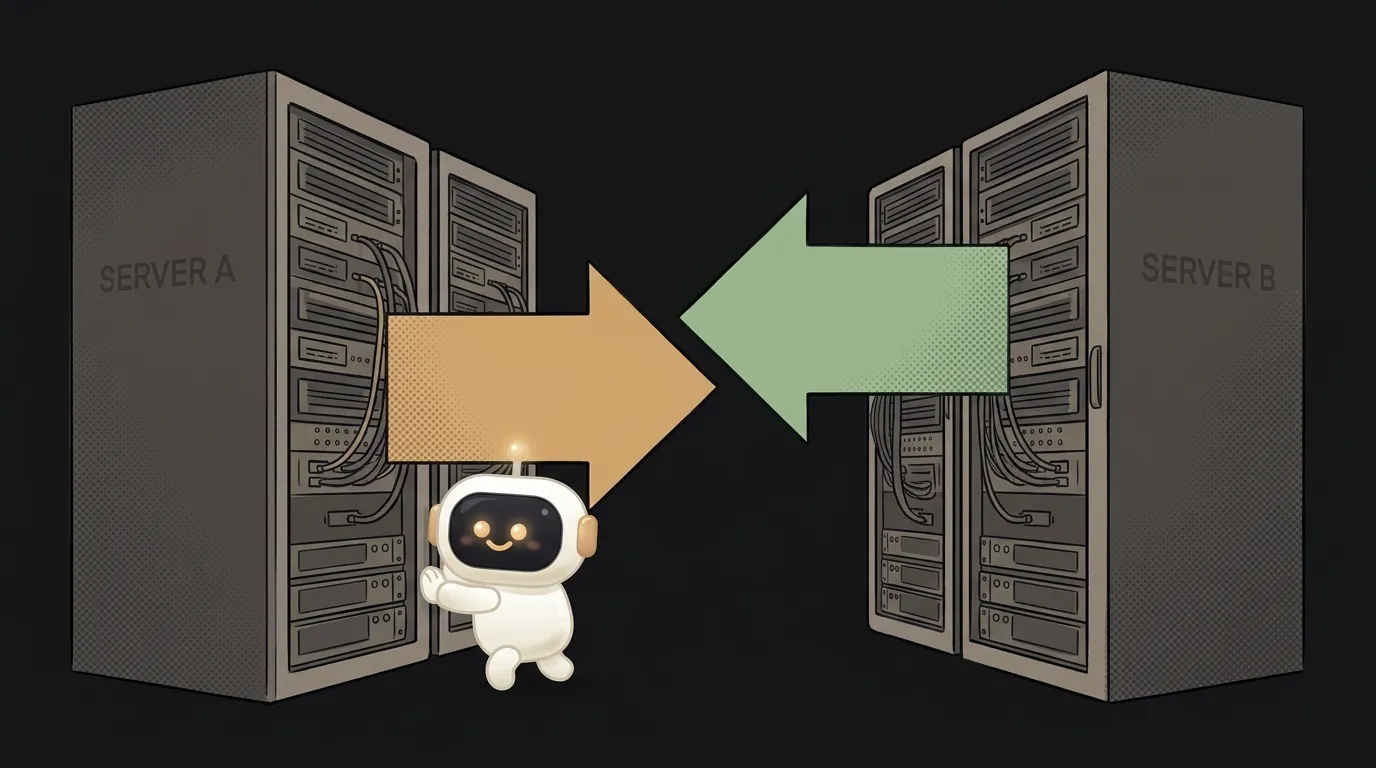
You're building a bot or an automation — and you hit a choice: connect the service via an API or via a webhook? Sounds like two different beasts, but they do one thing — let two programs talk.
The difference is one thing: the direction. With an API, you go to the server and ask. A webhook is the reverse — the server comes to you and tells. Choosing between them is essentially choosing who waits for whom. Let's sort out when to use which.
API: you ask
An API is when your program itself pokes someone else's server: "give me the weather", "what's my balance?", "any new messages?". You initiate, you get the answer right here, right now. Like calling directory assistance: you dial — you find out.
Works great when you need data at the moment of the request: user pressed a button — you hit the API, showed the result. But there's a catch. If you need to learn about an event that happens sometime later, you have to ask over and over — "anything new? anything new?". This is called polling, and it wastes effort: 99 requests out of 100 return "nothing yet."
Webhook: you get told
A webhook flips the direction. You give the service your address once — and from then on it knocks on you itself, as soon as something happens. Payment went through, a message arrived, a push landed in the repo — the server sends you a packet of data on its own, instantly.
Like leaving a doorbell for the courier instead of running to the door every five minutes. When they arrive — they ring. You don't spend effort on checks and you learn of the event the same second.
Let's compare, plainly
| Criterion | API (you ask) | Webhook (you're told) | |---|---|---| | Who initiates | you poke the server | the server pokes you | | When you learn of an event | when you ask | the instant it happens | | Needs a constant server | no, works from a button | yes — the address must be online | | Load | many idle polls | only on an event | | What it's for | fetch data on demand | react to events |
Who should use what
No hedging:
- Need data right now, on a user action — use an API. Show the weather, a rate, a profile on a button — that's its job.
- Need to react to an event that happens later — use a webhook. A bot answering messages; a payment notification; an automation "email arrived → do X" — all webhooks.
And the key part: most often they work in a pair. The webhook wakes you — "hey, something happened" — and in response you hit the API to learn the details. That's how most live integrations are built. Building a Telegram bot? Telegram delivers messages via webhook, and you reply through its API.
Isn't a webhook just an API too?
Technically — yes, a webhook usually sends data the same way an API request does. But the roles are opposite: in a "regular" API you are the one making the request, while a webhook is when the server makes a request to you. That's why they're distinguished: it's not about the technology, it's about who calls whom.
What should a beginner pick for a first project?
Start with an API — it's simpler: no always-on server needed, you can poke it from the browser. Add webhooks when you hit a task like "I need to react to an event in real time" — and notice that endlessly polling the server is silly. By the way, this same "ask vs react" logic is what separates a chatbot from an agent.
Short story-lessons, an agent simulator and daily practice — in our mobile app. Free.
Read next

What is an Agent Skill — and why it costs almost nothing

What is a subagent — and why it saves context, not time
Agent Skills or MCP — which to choose and how they really differ
Why my MCP server won't connect — 4 causes, most common first

What is AGENTS.md — the file your AI agent reads before you ask