Cut a jet engine in half — and it works out what just happened to it
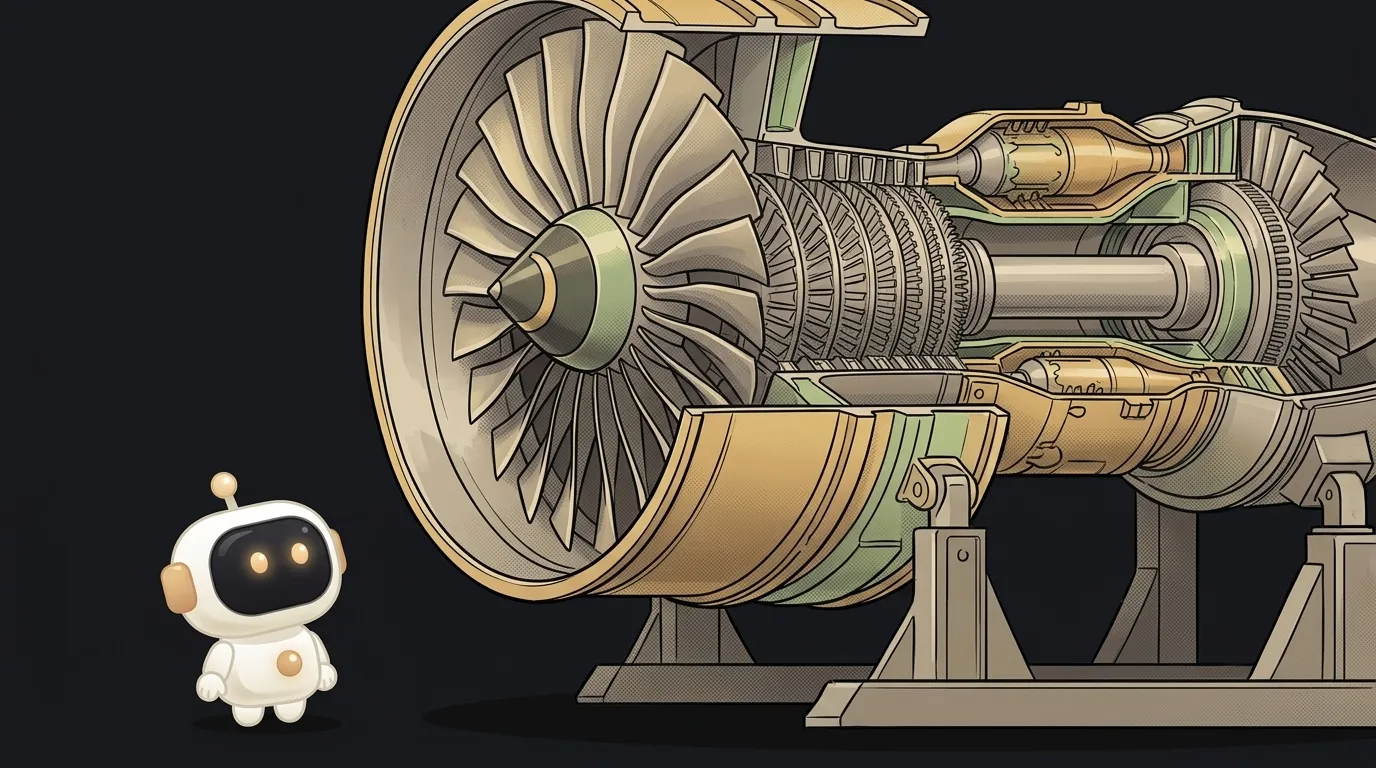
Ask an AI to show you how a jet engine works and you get a picture. Pretty, labelled, and dead. You can't turn it, you can't cut it open, and the numbers on it are just written next to it.
On 12 October 2026 Machine Skill landed on GitHub — a skill for your agent that does something else. You write one line: which machine you want. The agent goes and finds its real dimensions, writes down the physics it lives by, and builds a working model in a single .html file. You drag the throttle and about 340 kN comes out of the turbine. That's not a caption: there's a Brayton cycle solver underneath the page, and it just computed them.
Why this only just got easy
The trick isn't the 3D — browsers have done that for years. The trick is that the geometry finally came with arithmetic.
- Real dimensions. The agent researches the machine first: a 2.9 m fan, a 10-stage compressor, an annular combustor with 22 fuel nozzles. The page carries a scale bar.
- A solver per machine. The kit ships recipes with real constants: the Brayton cycle for gas turbines, chamber and nozzle for rockets, slider-crank and BMEP for piston engines, a torsional oscillator for watches, pump curves.
- The cutaway is real. Every part is a closed solid, and when a plane opens it, the shader draws the section as freshly machined metal rather than a hole. That's why the cut can sweep while it runs.
- "Break it" gets computed too. Throw a blade off the fan and the solver tells you the imbalance load the case now has to hold. Cut the regenerative cooling on a rocket nozzle and the copper throat melts.
And a "how it is computed" button shows you the equations. That's the whole difference between a diagram and an instrument.
What you're building
A take-apart test stand for the machine you've always been curious about. A watch escapement. A wind turbine gearbox. A steam locomotive's valve gear. Your own car's engine.
You open the file and you turn it, explode it, switch to x-ray, slow it down, slice it in half and break it. One command records all of that as a 28-second film with music.
What you'll learn
- To tell a model from a picture. The most useful habit in working with AI: asking "where did that number come from?" Here there's always an answer — the formula sits next to the figure.
- To give an agent a grip on reality. "Like the ones on a 787" works better than "a jet engine", because the agent goes looking for real numbers instead of inventing plausible ones.
- To watch an agent check itself. The skill scripts four rounds of critique: the agent takes its own screenshots, looks at them and redoes the work.
- Physics you once studied and forgot. You're not reading about the Brayton cycle — you're pulling a lever and watching it answer.
A starter prompt you can copy
First install the skill, one line in a terminal:
npx skills add AirsupHQ/machine-skill -g -a claude-code
After that it's the /machine command in Claude Code. A weak request gets you a beautiful dud: the agent doesn't know what's supposed to move, so it draws a still lump of metal. A strong one names the real thing, says what moves, what breaks, and where it's going.
/machine make a 3D model of a jet engineThree of those lines do most of the work. "A real Swiss" sends the agent after actual numbers. "Slow it 20x" defines what is meant to move at all. "What breaks" is what switches the solver on — otherwise nothing needs it.
What you end up with
One .html file that opens straight off disk. Inside: a watch on a table under studio light — sapphire, brass, steel with real reflections. The balance swings, the lever clicks. You drag the section slider and the watch parts into halves with solid metal on the cut faces. You hit explode and the parts drift apart, labelled. You turn on slow motion and finally see the thing a picture can't show you: a wheel tooth pushing the pallet and letting it go.
Then one command and you have a film:
node ~/.claude/skills/machine/scripts/record.mjs watch.html out/watch.mp4 --music freepd:Classical/Easy_Lemon
Recording runs on a "film" clock: the recorder steps time itself, so no frame smears and a take comes out identical every time. The music comes from the free FreePD library.
Being straight about the limits:
- It's a model, not an engineering calculation. The solver is small and uses real constants — it gives you believable behaviour, not certified figures. You can't build a turbine from it; you can understand one.
- The build runs through an agent and costs tokens. It's a long run with research and four rounds of critique, not a single request.
- The page is heavy. Thousands of parts in a browser will stutter on a weak machine. The
shot.mjsscript prints fps, part count and triangles — watch them. - It needs the network the first time you open it. three.js is pulled from a CDN.
- The film needs Node and ffmpeg. Without them the page still works; the recording doesn't.
- Not just Claude Code. The skill is an ordinary folder with a
SKILL.md: Codex and Cursor read it, and you can upload the folder to Claude.ai as a zip.
A weekend plan
- Friday evening. Install the skill with that one line. Open the ready-made examples in
examples/— the turbofan and the rocket engine — and break them. That's your calibration: you'll see the bar the agent is reaching for. - Saturday. Pick your machine, the one you've always wondered about. Write the strong request using the template above and let the agent build. While it works, read
references/solvers.md— those are the physics recipes it picks from. - Sunday. Push it to the "oh wow" point: ask it to slow the moment that matters, add labels, move the cut. Record the film at 1080x1350 and post it.
Start with a mechanism you've seen a hundred times and still don't understand. By the end of the weekend you'll be able to cut it open — and it will explain to you itself why it works that way.
Short story-lessons, an agent simulator and daily practice — in our mobile app. Free.
Source: Machine Skill on GitHub
Read next

Fly down your own route in pixel art — with the buildings standing where they really stand

A $7 board — and AI taps around your iPhone on its own. No Mac, no jailbreak
47 vacation clips — and an agent cuts them into a video on the beat

Build a “send as-is” button — a model that hands you the email, not advice about it
A song where you change one chord — instead of spinning the generator again